Overview Phase 1 — Data Sourcing Phase 2 — Schema & Load Phase 3 — Diagnostics Phase 4 — Optimization Phase 5 — Backup Phase 6 — Security
Phase 05 — Backup & Recovery

A Backup You've Never Tested
Is Not a Backup

I implemented a mysqldump backup strategy with consistent InnoDB snapshots and binary log position recording, produced a 2.18 GB full backup of the 4.57 GB database, dropped the entire database to simulate catastrophic data loss, and restored all 22.7 million rows from the backup file. Every table was verified with exact COUNT(*) queries after restore.

mysqldump --single-transaction Binary Log 2.18 GB Backup Full Restore Tested 22.7M Rows Verified

mysqldump with InnoDB Consistency

Why mysqldump

I chose mysqldump as the backup tool because it produces a portable, human-readable SQL file that can be restored on any MySQL instance, it supports --single-transaction for consistent InnoDB snapshots without locking tables during the backup, and it captures the binary log position at backup time for point-in-time recovery capability. No additional tools beyond MySQL Community Server are required.

Backup Flags

--single-transaction
Takes a consistent InnoDB snapshot using REPEATABLE READ isolation. No table locks during backup — the database stays fully accessible.
--source-data=2
Records the binary log file and position as a comment in the dump file, enabling point-in-time recovery from any point after this backup.
--flush-logs
Flushes binary logs before the backup begins, creating a clean boundary between pre-backup and post-backup log files.
--routines / --triggers
Includes stored procedures, functions, and triggers in the dump — ensures a complete restore of all database objects.
--databases
Includes the CREATE DATABASE statement in the dump, so the restore can create the database from scratch without requiring it to exist first.
Binary Logging
Confirmed active on this instance — current log file DESKTOP-UK614UQ-bin.000007. Binlog expiry set to 30 days (2,592,000 seconds).
4.57 GB
Live Database
2.18 GB
Backup File
52%
Compression Ratio
22.7M
Rows Restored

Drop. Restore. Verify.

The Simulation

To prove the backup is valid I simulated a complete data loss event. I dropped the entire cancer_environment_db database and restored it from the backup file using the MySQL client. MySQL replayed all CREATE DATABASE, CREATE TABLE, and INSERT statements from the 2.18 GB dump file, rebuilding the database and all indexes from scratch.

-- Step 1: Drop the database (simulates data loss) mysql --user=root --password --execute="DROP DATABASE cancer_environment_db;" -- Step 2: Restore from backup mysql --user=root --password ^ < cancer_environment_db_full_20260624_133040.sql

Post-Recovery Verification

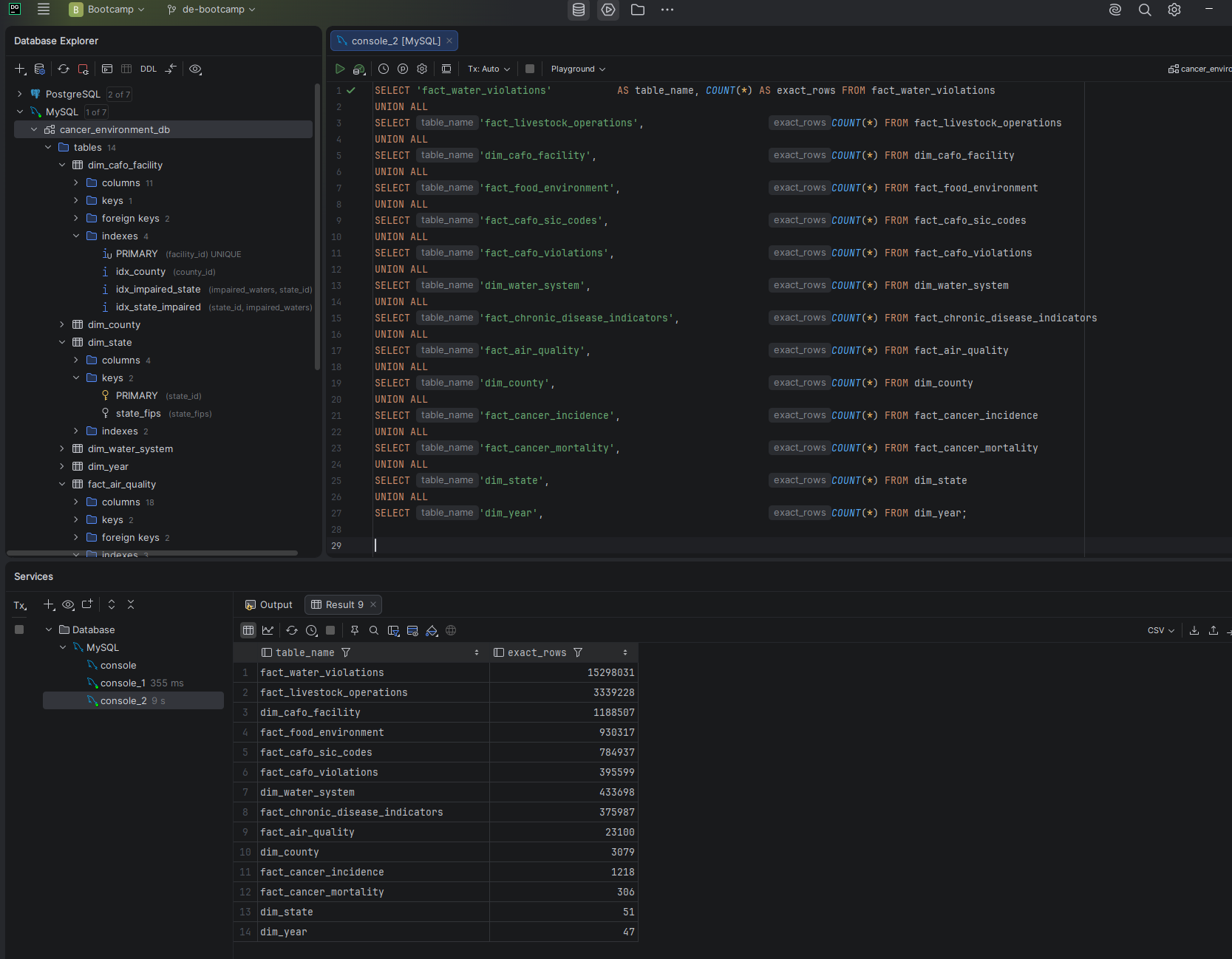
After the restore completed I ran exact COUNT(*) queries against all 14 tables and confirmed every row count matched the pre-recovery baseline. InnoDB's table_rows in information_schema stores estimates — exact counts require COUNT(*), which is what I used for verification.

Screenshot — Post-recovery row count verification
Post-recovery row count verification showing all 22.7 million rows restored
All 22,774,105 rows confirmed across all 14 tables after full restore from backup
TableRowsVerified
fact_water_violations15,298,031
fact_livestock_operations3,339,228
dim_cafo_facility1,188,507
fact_food_environment930,317
fact_cafo_sic_codes784,937
fact_cafo_violations395,599
dim_water_system433,698
fact_chronic_disease_indicators375,987
fact_air_quality23,100
dim_county3,079
fact_cancer_incidence1,218
fact_cancer_mortality306
dim_state51
dim_year47