Overview Phase 1 — Schema & Load Phase 2 — Diagnostics Phase 3 — Optimization Phase 4 — Operations Phase 5 — Security
Phase 04 — Operations & High Availability

Keeping the Database
Running Reliably

A database that performs well but cannot be recovered from failure is not production-ready. In this phase I implemented a two-tier backup strategy, tested a full end-to-end restore, verified backup integrity using pg_verifybackup, built a health monitoring script, and ran routine maintenance procedures.

pg_dump pg_basebackup pg_verifybackup Restore Testing Health Monitoring VACUUM & REINDEX

Two-Tier Backup Approach

Why Two Backup Types?

Logical and physical backups serve different purposes and cover different recovery scenarios. I implemented both to provide complete coverage — a logical backup for selective restoration and portability, and a physical backup as the foundation for full cluster recovery and point-in-time recovery.

Logical Backup
pg_dump — Custom Format
Captures the database schema and data in a portable format that can be restored to any PostgreSQL instance. The custom format enables compression and allows selective restoration of individual tables or schemas from the same backup file.
5,571 MB → 845 MB · 85% compression
Physical Backup
pg_basebackup — Tar + Gzip
Captures the entire PostgreSQL cluster at the file system level. This is the foundation for point-in-time recovery and streaming replication. The backup manifest enables cryptographic verification of every file in the backup.
11.3 GB cluster · 3.3 GB compressed
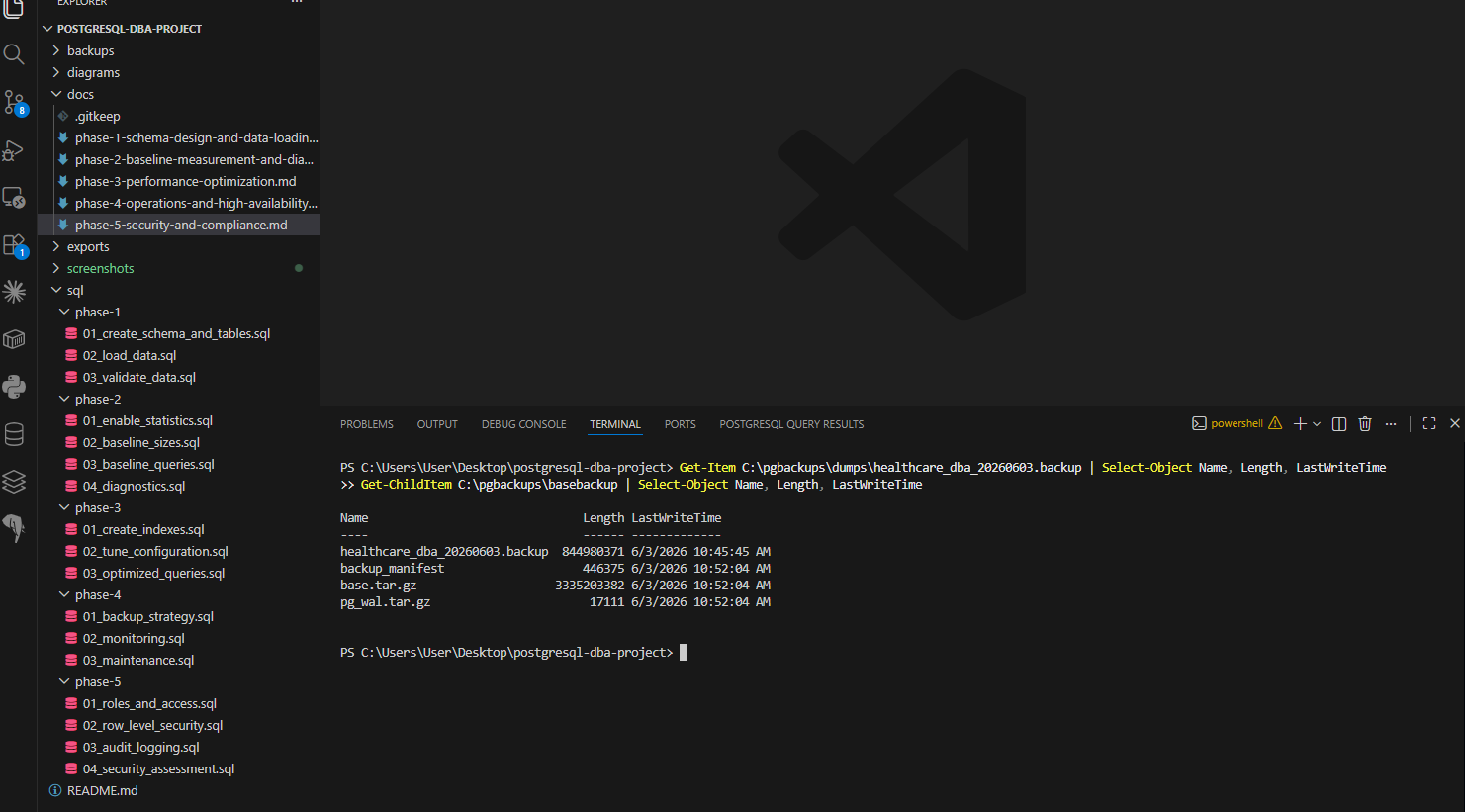
Screenshot — Backup files on disk
PowerShell output showing backup files with sizes and timestamps
Logical backup at 845 MB and physical backup files — base.tar.gz at 3.3 GB with backup manifest for integrity verification

Backup Commands

-- Logical backup pg_dump -U postgres -d healthcare_dba -F c -f C:\pgbackups\dumps\healthcare_dba_20260603.backup -- Physical backup pg_basebackup -U postgres -D C:\pgbackups\basebackup -F t -z -P -- Verify physical backup integrity pg_verifybackup -n C:\pgbackups\basebackup -- Result: backup successfully verified

A Backup You Haven't Tested
Is Just a Hope

End-to-End Restore Validation

I performed a full restore test by creating a new database, restoring the logical backup into it, and verifying every table and every index was restored correctly. The restore database was dropped after successful validation.

01
Create target database
Created a fresh healthcare_dba_restore database as the restore target — completely empty, no schema, no tables.
✓ Database created successfully
02
Run pg_restore
Restored the 845 MB custom-format backup using pg_restore -F c. The restore completed with no errors — schema, data, and indexes all restored in sequence.
✓ Restore completed with zero errors
03
Verify row counts
Queried all three tables in the restored database and compared counts against the source database.
✓ All counts match — 9,660,647 / 1,175,281 / 9,660,647
04
Verify indexes
Confirmed all 7 indexes were restored — both primary keys and all 5 analytical indexes created in Phase 3.
✓ All 7 indexes present and verified
05
Drop restore database
Dropped the restore database after successful validation — it served its purpose as a verification target.
✓ Cleanup complete

Eight Monitoring Queries

What I Monitor Regularly

I built a monitoring script covering the eight health indicators a DBA would review in a production environment — server uptime, connection state, long-running queries, table bloat, index health, cache hit ratios, replication status, and slowest queries from pg_stat_statements.

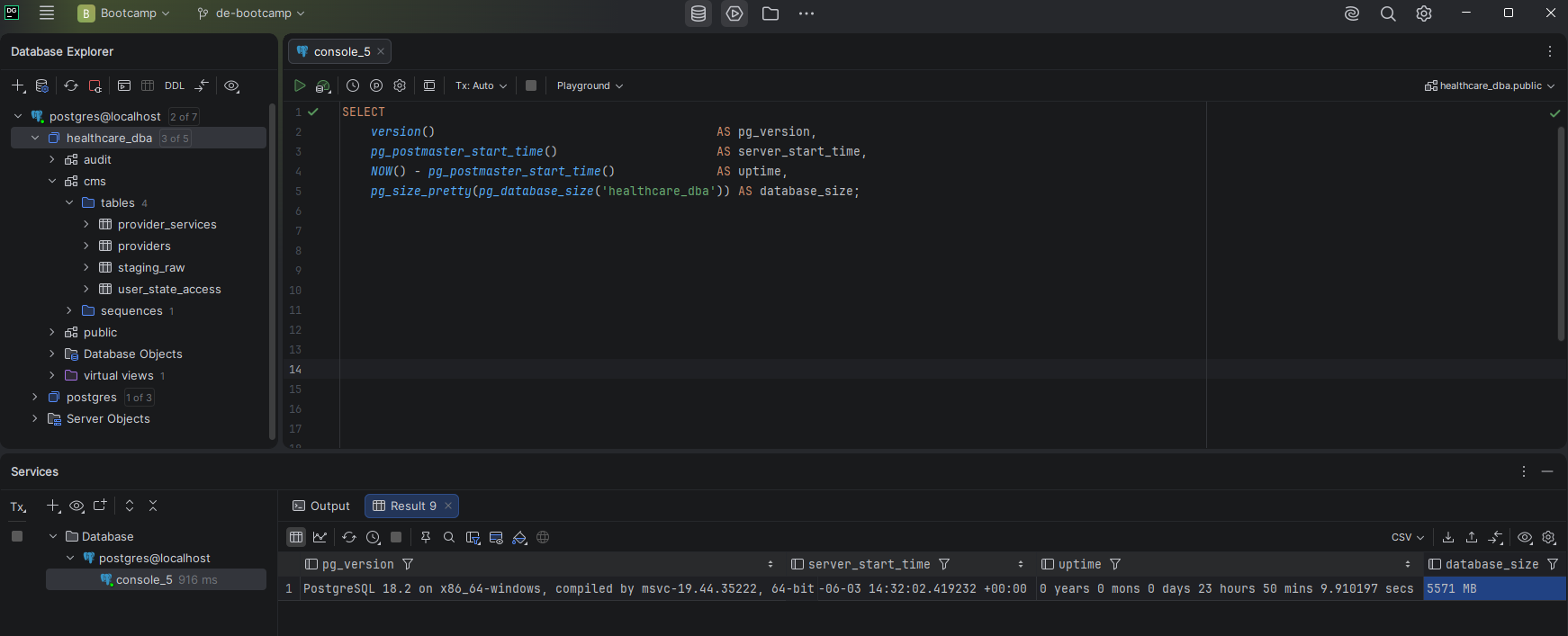
Screenshot — Database health monitoring results
DataGrip showing monitoring query results including uptime, database size, and connection state
Server uptime, database size at 5,571 MB, and active connection summary — all healthy at time of monitoring

Monitoring Results at Time of Execution

MetricValueStatus
Database size5,571 MB✓ Normal
Active connections1 (DataGrip session)✓ Normal
Long running queries (>5 min)0✓ Clean
Dead rows — providers0✓ No bloat
Dead rows — provider_services0✓ No bloat
Cache hit ratio — providers97.66%✓ Excellent
Cache hit ratio — provider_services79.16%✓ Rebuilding post-restart
Replication standbysNoneSingle node environment

VACUUM, ANALYZE & REINDEX

Why Manual Maintenance?

PostgreSQL's autovacuum handles routine cleanup automatically, but a DBA should also run manual maintenance after bulk data operations, before taking backups, and as part of regular operational procedures. I ran VACUUM ANALYZE on all three tables and REINDEX INDEX CONCURRENTLY on all five analytical indexes.

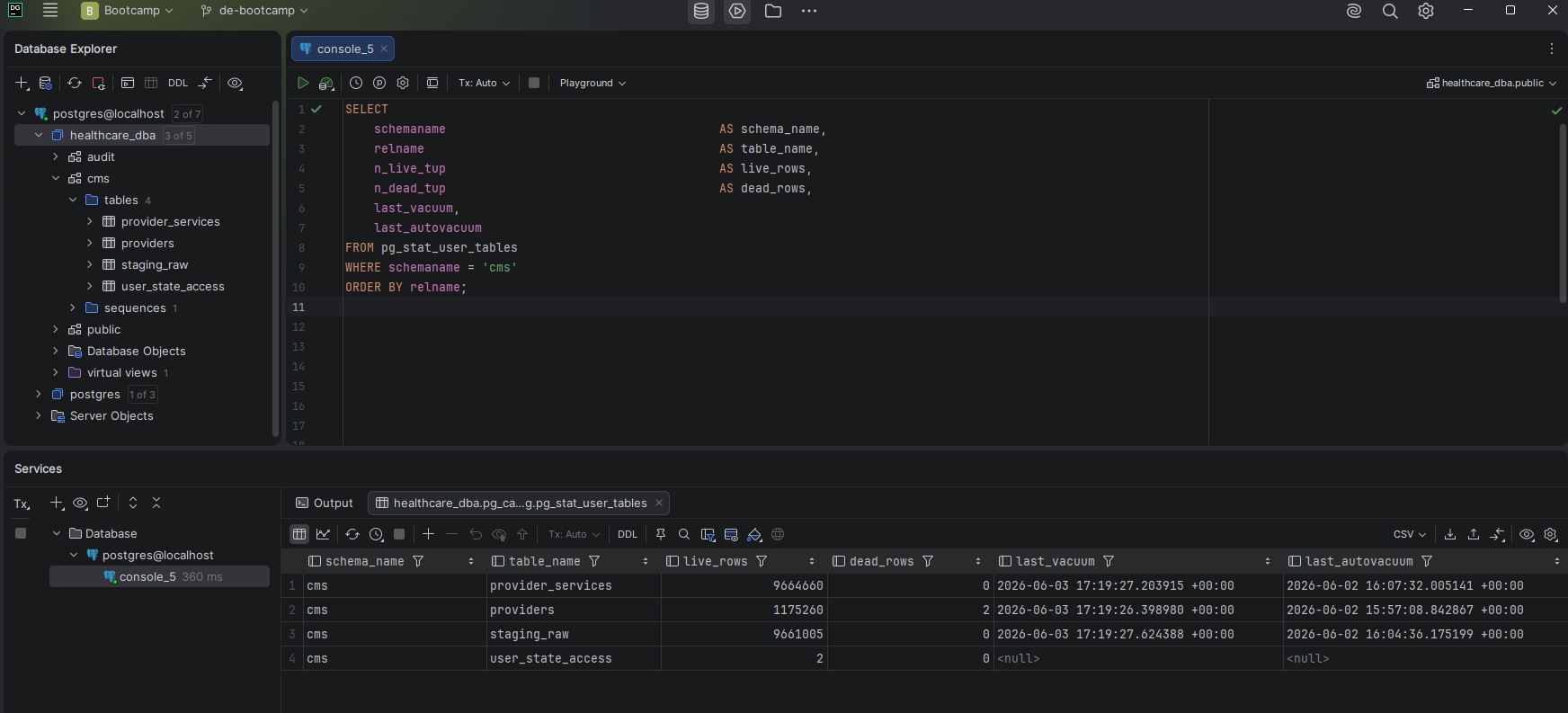
Screenshot — Table statistics after maintenance
pg_stat_user_tables showing zero dead rows and updated last_vacuum timestamps after maintenance
Zero dead rows across all tables after VACUUM ANALYZE — last_vacuum timestamps updated to today's run

Autovacuum Configuration

ParameterValueMeaning
autovacuumonEnabled — automatic cleanup active
vacuum threshold50 rows + 20% of table~1.9M dead rows triggers vacuum on provider_services
analyze threshold50 rows + 10% of table~966K row changes triggers analyze
vacuum cost delay2msThrottled to reduce I/O impact on live queries